Know before you send
Size in dollars or units, slide to a % of your buying power, and see the margin, slippage and fees before you place it. ⌘↩ sends it.
Your Hyperliquid trading station on your Mac
Your money, your control.
A native Mac app for every Hyperliquid market (stocks, crypto, forex and commodities). Set it up once on the Mac at home, and it charts, trades, runs your bots and answers your AI assistant. Your keys never leave it.
Free and open source · macOS 14 and later
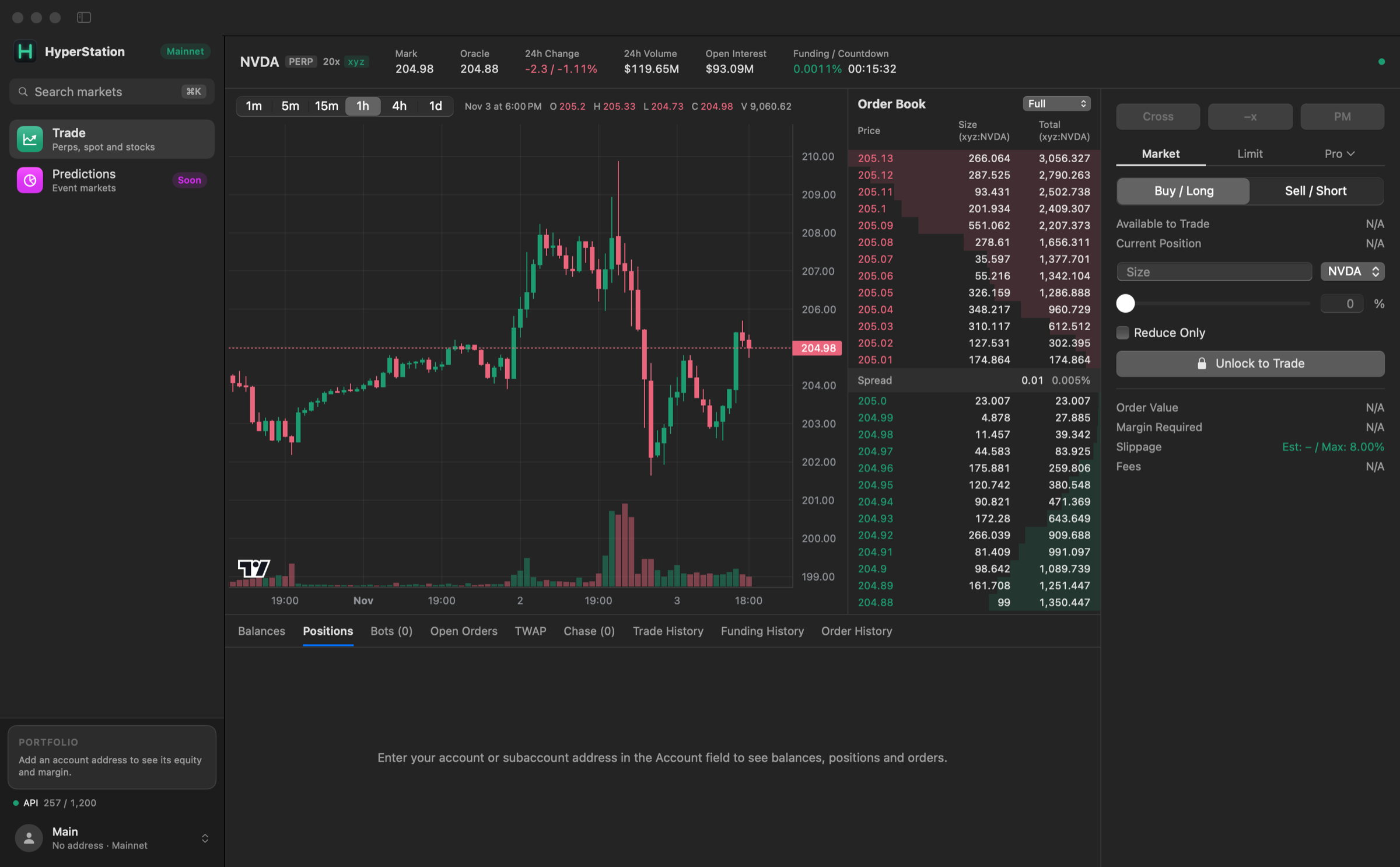
Every market, a live chart and order book, pro order types and your whole account, built for the Mac.
Your moneyNo servers, no sign-up, no custody. HyperStation can trade but can never withdraw.
Your controlBots run your rules, your AI assistant asks before every order, and every line of code is open.
The station
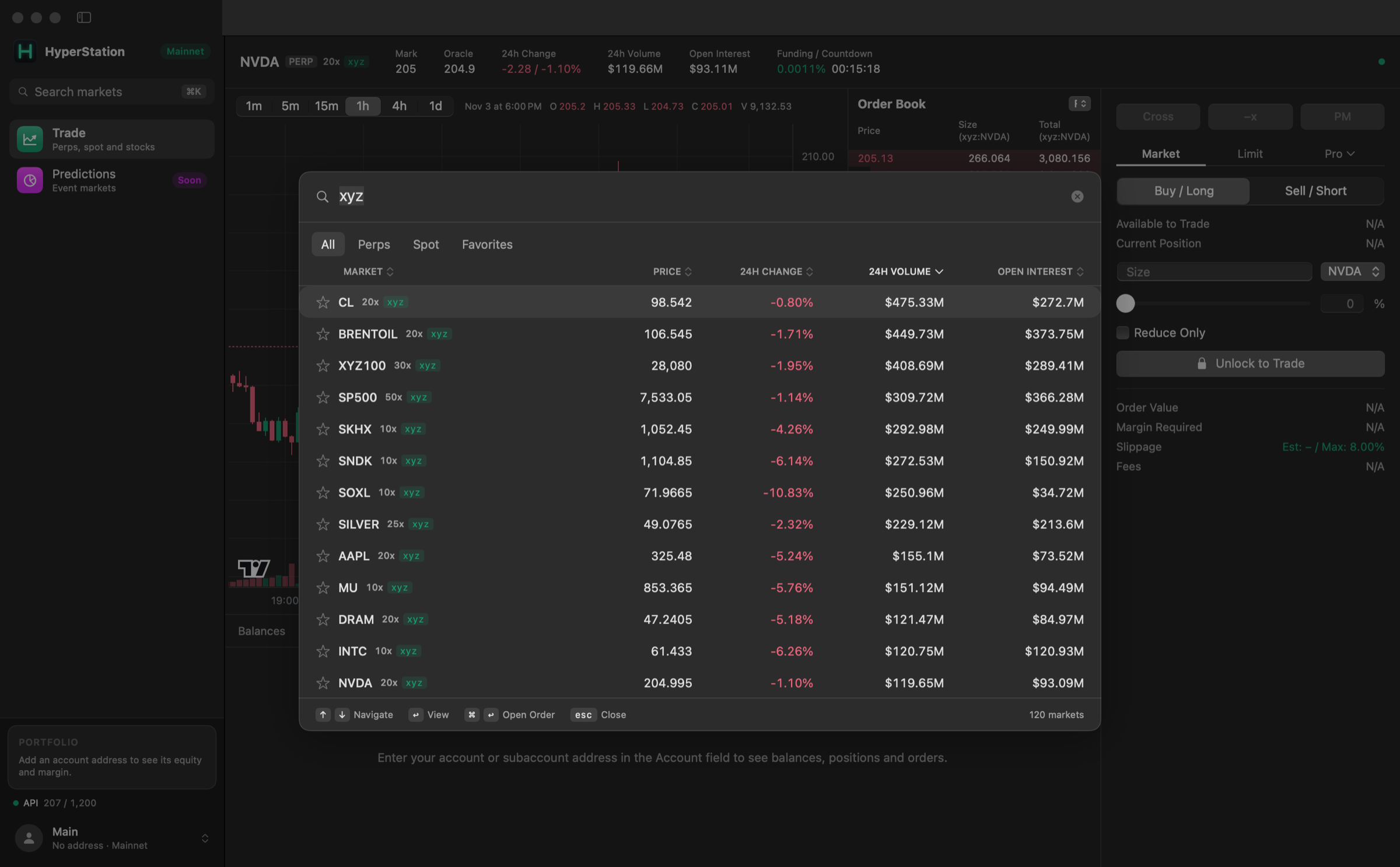
Stocks like NVDA and TSLA, gold and oil, indices like the S&P 500, forex like EUR, JPY and GBP, every crypto perp and spot pair, and new markets the moment they list. Press ⌘K for a table of all of them with price, 24h change, volume and open interest. Sort it, filter to perps, spot or favorites, and hit ⌘↩ to jump straight to the order size.
A live TradingView chart and order book, a fast order ticket, and your whole account underneath. Click a price in the book to set a limit there, see your liquidation price on the chart, and close any position in one click.
Size in dollars or units, slide to a % of your buying power, and see the margin, slippage and fees before you place it. ⌘↩ sends it.
Your equity, borrowing and margin ratio in the sidebar, with a bar that shows how close you are to liquidation, next to your biggest positions.
Main account, subaccounts and vaults, plus watch-only accounts. Switch between them in a click.
Always on, at home
Leave HyperStation running on a Mac at home, like a Mac mini on your desk. Stink bids wait for the wick, funding arbitrage keeps collecting, and everything picks up where it left off after a restart.
HyperStation keeps your Mac awake while your bots run. Just leave it open.Closing a laptop's lid, or choosing Sleep, still puts it to sleep.
Your money
HyperStation has no servers and no accounts. It talks to Hyperliquid and nothing else.
Your API wallet key is stored in your Mac's Keychain, on this device only. Unlock with Touch ID or your Mac password, and lock to clear it from memory whenever you step away.
HyperStation uses a Hyperliquid API wallet. It can place and cancel orders, but it can never withdraw or move your funds. Your main wallet stays out of it.
Orders are signed on your Mac and sent straight to Hyperliquid. No middleman, no sign-up, no custody, no extra fees and no tracking.
The AI assistant connection runs only on your Mac, behind an access token. Turn its trading off or cap its order size at any time.
Charts are drawn from HyperStation's own live data. Nothing is loaded from a third-party site.
Every line is on GitHub. Read it, build it yourself, and know exactly what runs on your Mac.
Your control · Bots
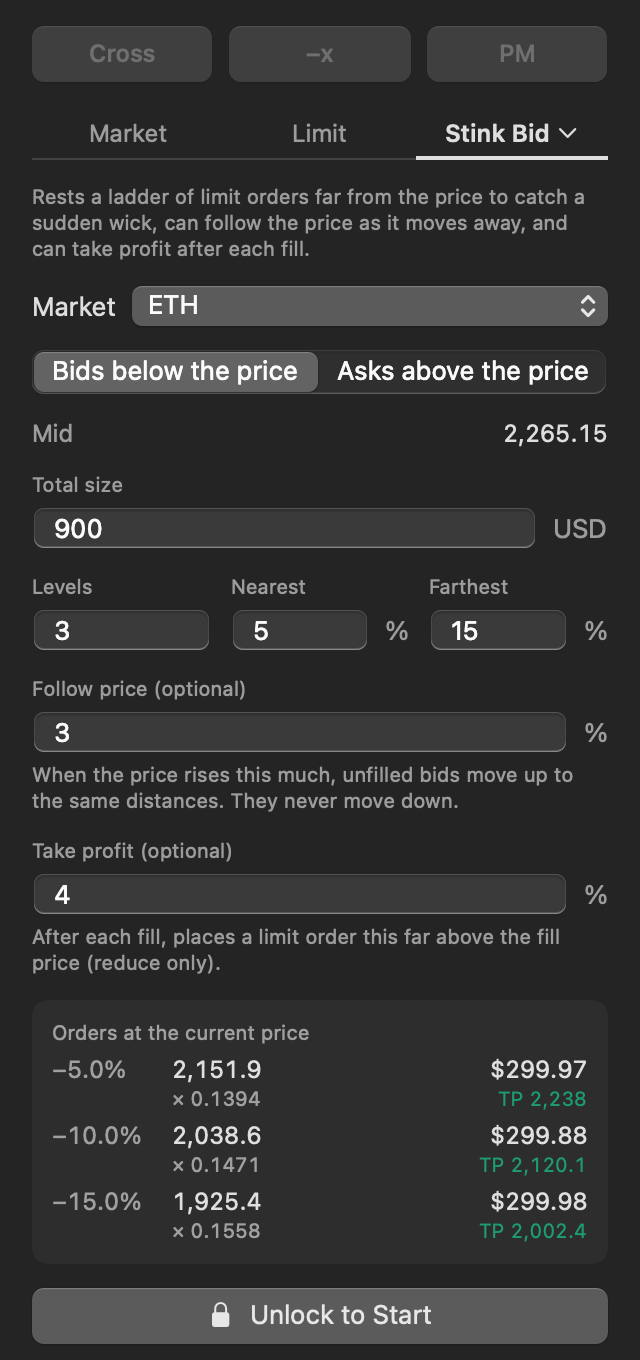
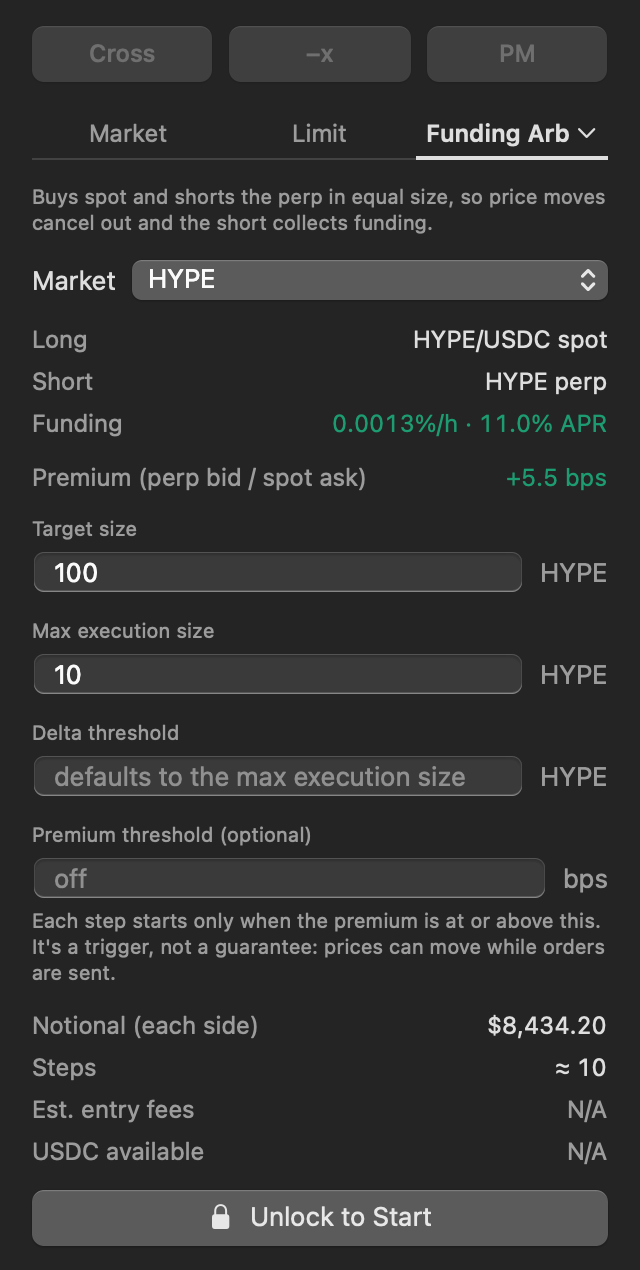
Pick a bot from the Pro menu in the order ticket and it's set up for the market on screen. You choose the size, the levels and when it takes profit. It does exactly that, and nothing else.
Leave a ladder of bids far below the price to catch sudden wicks, on any market. The ladder can follow the price up and take profit after each fill.
Buy spot and short the perp in equal size, so price moves cancel out while you collect funding. Grow or shrink a running bot any time, and it rebalances step by step.
Your control · AI assistants
Connect an AI assistant like Claude and ask in plain words. Anything you can do in HyperStation, it can do too: check prices, review positions, place any order type, or start and stop bots.
You stay in control. The assistant checks every order with you first, you set the biggest order it can place, and it can never unlock HyperStation, add keys or change its own limits.
Get started
HyperStation is built from source for now. The setup guide walks you through it.